
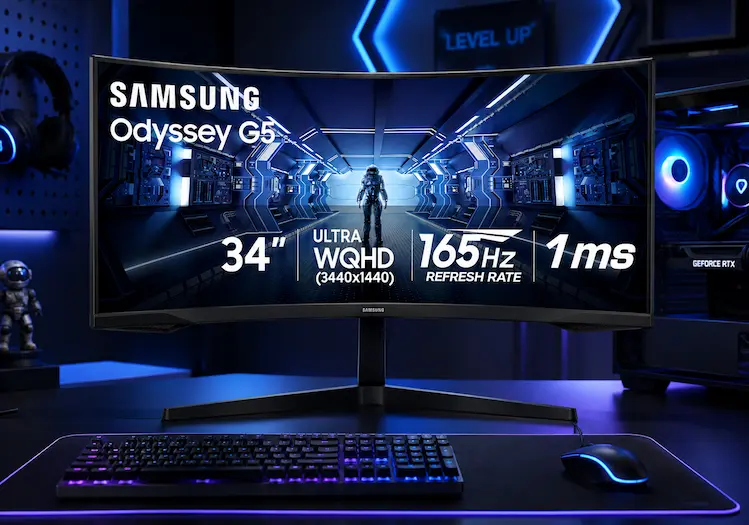
 Budget
A budget 1000R ultrawide with genuine 165Hz/1ms specs, best connected via DisplayPort since HDMI caps at 100Hz. Tilt-only stand and modest HDR brightness are real trade-offs worth knowing before you buy.
Samsung 34′ Odyssey G5 Ultra-Wide Gaming Monitor
 Reviewed by Chue Len, Lead Editorial
Updated August 23, 2026
Reviewed by Chue Len, Lead Editorial
Updated August 23, 2026
We may earn a commission if you buy through this link, at no extra cost to you.
Specifications
Chue Len
Oversees all editorial content on the site, keeping coverage accurate, timely, and on-brand.
Been mapping out Vice City since the first trailer dropped, still finds something new on every pass through the map.
Pros & Cons
Pros
- 165Hz and 1ms MPRT at this price is a genuine value proposition for fast-paced gaming
- 1000R curve is unusually tight for the price tier, adding real immersion most budget ultrawides skip
- 1) gives deeper blacks than the IPS panels common at this price point
- Long-term owner reports (some citing 2-3+ years of daily 7+ hour use) suggest solid reliability, not just good specs on paper
Cons
- HDMI 2.0 caps out at 100Hz at full 3440x1440 resolution, you need the DisplayPort input to hit the full 165Hz
- Tilt-only stand with no height or swivel adjustment, a real ergonomics gap most competitors in this range include
- HDR10 is present but the 250 nits brightness is well below what's needed for HDR content to look meaningfully different from SDR, treat this as HDR-labeled, not HDR-capable
- Independent pricing analysis flags this as running higher than similarly-specced 1500R competitors like the MSI MAG342CQR, which can be found for less
How We Tested It
We haven't run our own testing on this monitor. Findings above draw on independent reviews and verified long-term owner reports across retailer platforms. If your team tests this monitor, worth adding: real measured HDR brightness in a normally lit room, and actual refresh rate confirmed through DisplayPort versus HDMI on your own setup.
Who It's For
Budget-conscious gamers who want ultrawide immersion and a fast refresh rate without paying OLED or IPS-panel prices. A strong single-player and casual competitive pick given the 165Hz/1ms combo. Skip it if you plan to use HDMI as your primary connection, you'll be capped well below the monitor's real refresh rate, or if ergonomic adjustment (height, swivel) matters to your desk setup, since this stand only tilts. If color accuracy matters for creative work, a 1500R IPS ultrawide competitor is the better fit even at a similar price.
Our Verdict
This is a genuinely capable budget ultrawide when you connect it the right way: DisplayPort for the full 165Hz, and realistic expectations about the HDR10 label given the modest 250-nit brightness. The 1000R curve and VA contrast are real strengths for immersive gaming, and long-term reliability reports are reassuring for a monitor now several years into its production run. The catches are the tilt-only stand and pricing that runs a bit above similarly-specced 1500R competitors, worth cross-shopping before you buy, especially since this monitor discounts often enough that patience usually pays off. 4.3/5, solid budget pick if you buy it on sale and connect via DisplayPort.