
 Budget
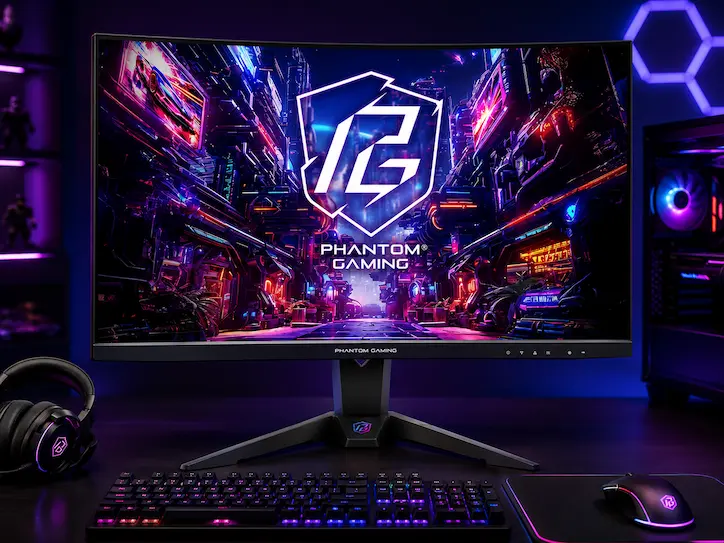
ASRock's updated Phantom Gaming ultrawide adds 180Hz and full swivel/height adjustment over its older sibling, all at a budget price. HDMI 2.0-only connectivity means console gamers should look elsewhere.
ASRock Phantom PG34WQ15R2B
 Reviewed by Chue Len, Lead Editorial
Updated August 23, 2026
Reviewed by Chue Len, Lead Editorial
Updated August 23, 2026
We may earn a commission if you buy through this link, at no extra cost to you.
Specifications
The most impactful upgrade for open-world immersion at the lowest entry price. A 34″ 3440×1440 curved panel makes Leonida feel dramatically bigger without demanding a flagship GPU the way 4K does.
Chue Len
Oversees all editorial content on the site, keeping coverage accurate, timely, and on-brand.
Been mapping out Vice City since the first trailer dropped, still finds something new on every pass through the map.
Pros & Cons
Pros
- 180Hz at this price undercuts most competitors still selling 144-165Hz ultrawides for similar or more money
- Full height, swivel, and tilt adjustment, a real upgrade over ASRock's own older PG34WQ15R2B, which was tilt-only
- Two DisplayPort inputs is unusual at this price tier, useful if you switch between a desktop and laptop regularly
- Built-in Wi-Fi antenna is a genuinely unique feature ASRock pioneered in gaming monitors, convenient if your desk is far from your router
Cons
- HDMI ports are limited to 2.0, no HDMI 2.1, so console gaming at higher refresh rates isn't supported
- 94% DCI-P3 is "average for the category," per Tom's Hardware testing on the related PG34WQ model, not a color-accuracy standout
- VA panel means the usual off-axis contrast shift; fine straight-on, less ideal if you view at an angle
- Naming overlaps heavily with ASRock's own older PG34WQ15R2B, which has different specs (165Hz vs 180Hz, no swivel), easy to confuse the two when comparison shopping
How We Tested It
We haven't run our own testing on this monitor. Findings above draw on Tom's Hardware's panel and color testing on the closely related PG34WQ model, plus verified retailer and owner reviews. If your team tests this monitor, worth adding: real refresh rate confirmed at 180Hz over DisplayPort, and how the swivel/height stand performs in daily desk use compared to the tilt-only original.
Who It's For
Budget gamers who want a genuinely high 180Hz refresh rate and full ergonomic adjustment without paying premium-tier prices. A strong fit if you already use DisplayPort as your primary connection and don't need HDMI 2.1 for console gaming. Skip it if you're gaming primarily on a current-gen console through HDMI, since you won't get anywhere near the panel's full refresh rate that way, an HDMI 2.1-equipped monitor is the better fit there.
Our Verdict
The PG34QRT2B is ASRock's refined follow-up to its well-reviewed original Phantom Gaming ultrawide, and the upgrades are real, not cosmetic: 180Hz instead of 165Hz, full swivel and height adjustment where the original was tilt-only, and a second DisplayPort input. At around $300, it undercuts most 34" ultrawides offering comparable refresh rates. The trade-off is HDMI 2.0-only connectivity, which matters if console gaming is part of your setup, and DCI-P3 coverage that's solid but unremarkable. For PC-focused gamers on a budget who prioritize refresh rate and ergonomics over color accuracy or console compatibility, this is a smart buy. 4.0/5.